
August 31, 2021
Product Updates: Asset Types & the First Fleet Grid View
By Mike Aanenson · 1 min read · Product
A dashboard built for one pump is useful for that pump. An OEM with two hundred pumps in the field needs something that answers a different question: which of the two hundred needs attention right now?
Asset Types (Beta)
Asset Types define a shared set of metrics - drawn from signals, metadata, or subsystems - that every asset of that type carries in common. Different asset types can define different metrics and different ways of visualizing them, so a pump’s fleet view and a compressor’s fleet view don’t have to look the same.
Asset Group Fleet Grid View (Beta)
The Fleet Grid puts every asset in a group, organized by Asset Type, into one sortable table - the columns are exactly the metrics that Asset Type defines. Metrics can render as a raw value with a status indicator, a value paired with an icon, an interpreted value (a range mapped to a label and color), or a value alongside a small gauge.
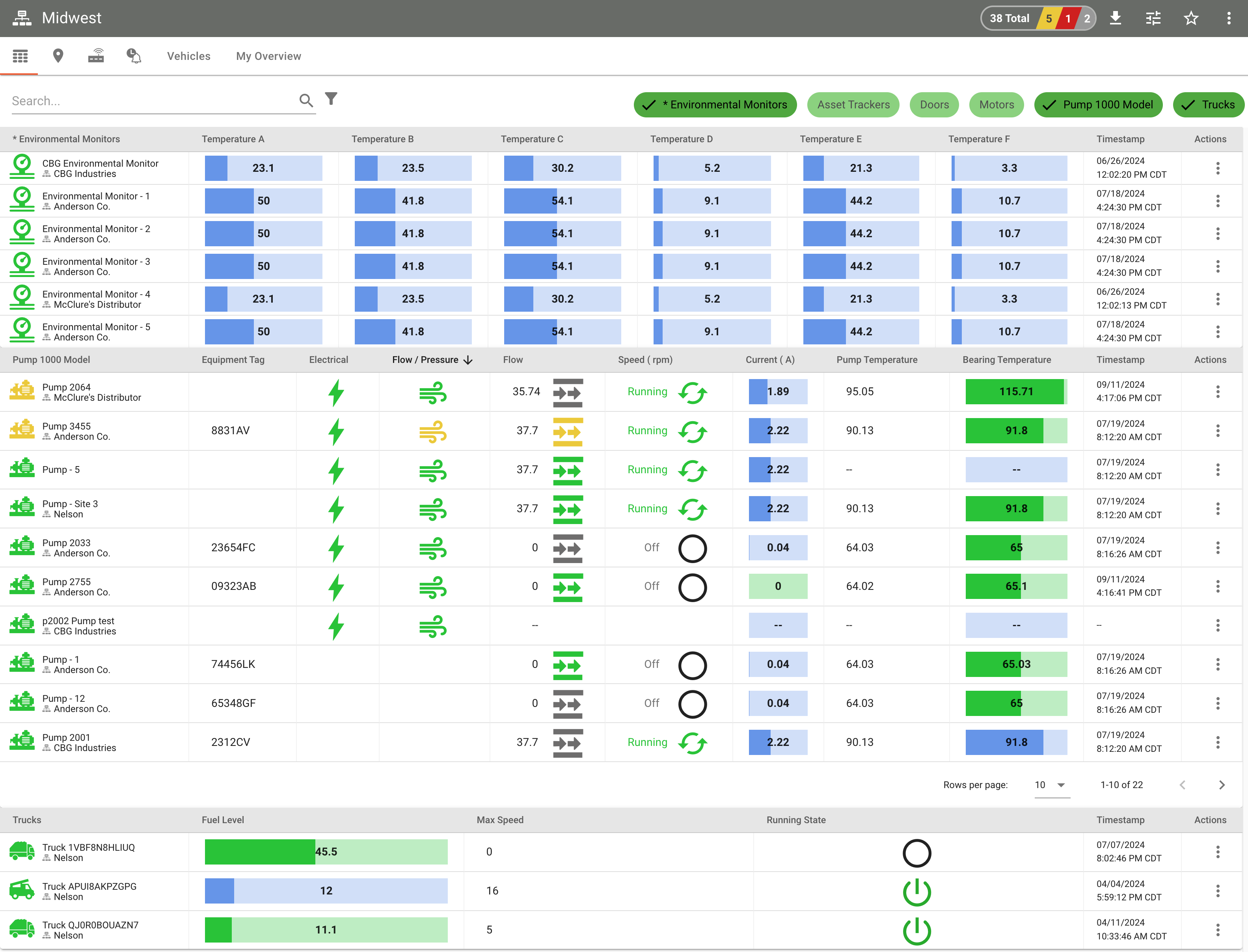

The default sort is by asset status, so the assets that need attention surface at the top rather than getting lost in alphabetical order. The whole grid exports to PDF, image, CSV, or JSON, which matters for an OEM’s own service team building a report to hand a customer.
Asset Types is the same concept a template-based fleet is built on today - defining a shared shape once and letting every asset of that type inherit it, whether that shape drives a dashboard, a template, or a grid column.
Full release notes: 2021 archive (opens in new tab), v2.37.0.
Managing more assets than fit on one dashboard? Schedule a Demo.